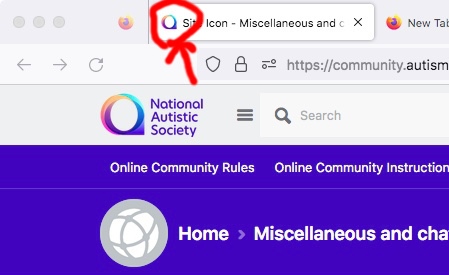
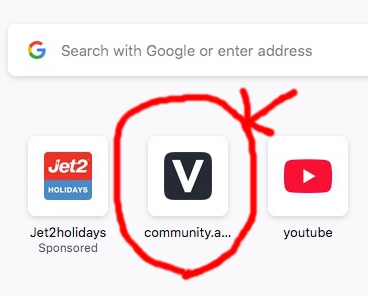
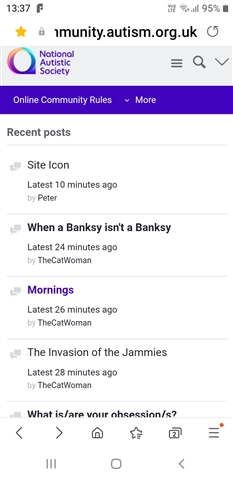
The site icon has changed on my screen from the NAS rainbow thingy to a black V on a white background, it's normal when I'm on the site though, have I been hacked or something?
In this case the computer is literally downloading the icon off the nas website. It's just they have 2 icons there. The one they meant to use that you see on the webpage and the default one they forgot to change.
What Peter said, thanks Peter. I didn't conciously set an icon the pooter just does it whenever I visit any site, except amazon, I usually delete them anyway. I think the pooter and its invisable controllers don't like me having so few icons, it tries to fill up the gaps sometimes by adding things I'd never use like holidays and hotels etc, I wouldn't mid so much if it gave me options that I might actually be curious about, let alone use, but they seem to be random advertising. I very confused about this icon change, it's still there, despite having had the pooter turned off all afternoon.
right I've done a bit of reserch. Normally when you create a webpage you provide a link to a favicon in the html. NAS does this. However if you forget to do this the browser just asks for the file favicon.ico. But the people who made this website never updated the image for favicon.ico. it's probably the same as what ever template they used for the website used as a default. You can see the eronious favicon here https://community.autism.org.uk/favicon.ico <- It's not a hack just prove the developers of this website were slopy.
So when your browser want to get the favicon for this site with out loading a webpage (say for a bookmarks bar) this is what it gets.
That's what I get when it's about to ask me to confirm I'm not a bot, or just after it has done so. It's fine. It's just your computer/browser going for an alternative symbol for the other part of the website. Mine tends to resolve itself after a couple of logins.
I think that’s what she means by
it's normal when I'm on the site though
But she probably has a link to the website saved to her desktop and that’s probably where the problem is.
Do you mean the top left hand corner on this page?

I’d be surprised if that is an indicator of you being hacked, so no worries. Maybe a quick restart of your computer would fix the problem?